
Download WirelessDriver – Free Open‑Source Wi‑Fi Controller for Mac
Overview
WirelessDriver is a lightweight, GPL‑licensed Wi‑Fi controller designed specifically for Prism and Prism2 wireless cards on macOS. First introduced to the public in 2005, this open‑source utility has become a trusted solution for users who need a reliable, low‑overhead driver that works seamlessly with older Mac hardware. Over the years, WirelessDriver has amassed nearly 5,000 downloads, with a steady flow of new installations each week, reflecting its continued relevance in markets such as Romania, India, and Indonesia.
The current stable release, version 1.0, was last updated on 31 October 2005, but its core functionality remains robust for devices that still rely on legacy Wi‑Fi chipsets. Because it is distributed under the GNU General Public License, users benefit from full source‑code transparency, the ability to modify the driver to suit custom needs, and the assurance that the software will remain free of hidden fees or proprietary restrictions. The application occupies a minimal amount of disk space—typically well under 10 MB—making it an ideal choice for older Mac systems with limited storage.
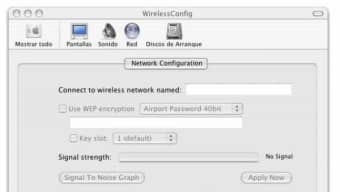
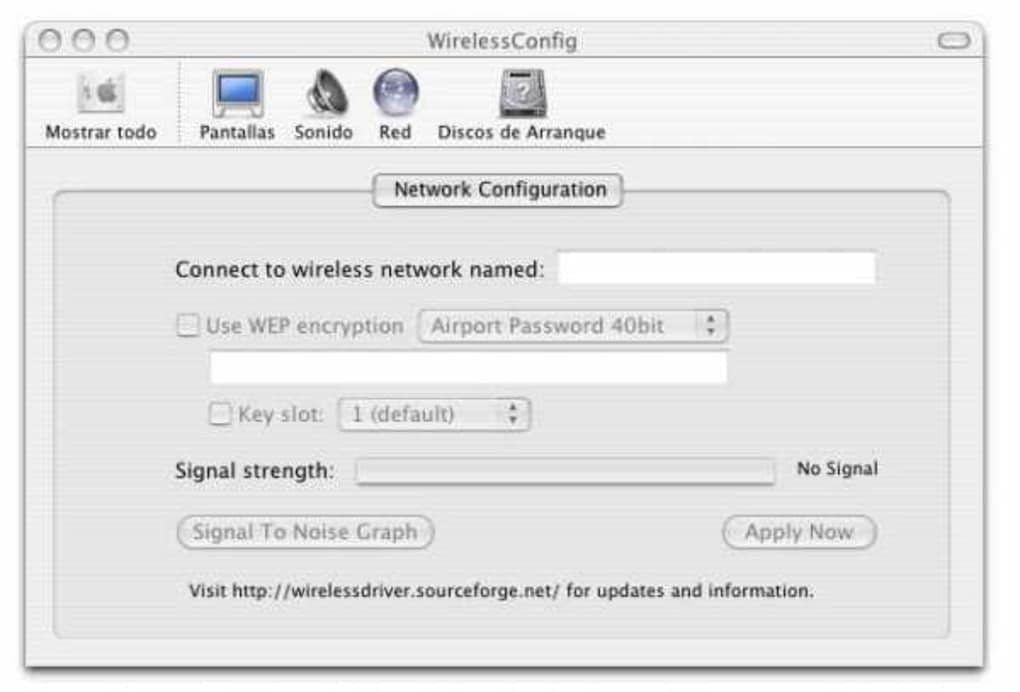
Its user‑friendly interface, written in native Mac OS X conventions, provides straightforward access to wireless network scanning, connection management, and diagnostic tools. Whether you are a hobbyist tinkering with vintage Mac hardware, a network administrator maintaining legacy infrastructure, or simply a user who prefers an open‑source solution over bundled proprietary drivers, WirelessDriver offers a secure, dependable, and community‑backed alternative.
Key Features
- Full support for Prism and Prism2 chipsets – Enables reliable detection and operation of legacy Wi‑Fi cards on macOS, ensuring stable connectivity even on older hardware.
- Open‑source GPL license – Provides complete transparency of the source code, allowing users to audit, modify, and redistribute the driver without legal hurdles.
- Lightweight footprint – The installer is under 10 MB, and the driver consumes minimal RAM, preserving system resources for other applications.
- Native macOS integration – Uses standard macOS frameworks for network management, resulting in a seamless experience that matches the look and feel of contemporary Mac utilities.
- Secure connection handling – Supports WPA/WPA2 encryption, offering modern security standards while still catering to older hardware capabilities.
- Detailed diagnostic logs – Generates readable logs for troubleshooting, helping users and administrators quickly pinpoint connectivity issues.
- Multilingual interface – Although the primary language is English, the driver’s UI can be localized, making it accessible to a global audience.
- Automatic network scanning – Continuously monitors available Wi‑Fi networks and presents them in an easy‑to‑navigate list, simplifying the connection process.
Each of these features was designed with the end‑user in mind, balancing simplicity with the power needed to keep legacy wireless cards functional on modern macOS versions. The emphasis on open‑source development not only fosters community contributions but also ensures that security patches and feature enhancements can be rolled out quickly, even though the official release date remains historic. For users who demand a driver that is both free and secure, WirelessDriver stands out as a compelling choice.
Its diagnostic capabilities are particularly valuable for network engineers who need granular insight into signal strength, packet loss, and authentication failures, all presented in an intuitive macOS‑styled window. Moreover, the driver’s compatibility with WPA/WPA2 means that it can operate safely on contemporary wireless networks, despite its primary focus on older hardware. In environments where multiple legacy devices coexist—such as university labs, small offices, or retro‑computing clubs—WirelessDriver simplifies management by providing a single, unified interface for all Prism‑based adapters.
The lightweight nature of the software also ensures that older Macs with limited processing power and memory can maintain smooth performance without the bloat associated with newer, feature‑heavy drivers.
Installation & Usage Instructions
Installing WirelessDriver on macOS is a straightforward process that can be completed in under ten minutes, even for users with limited technical experience. Follow these steps to get your Prism or Prism2 card up and running:
- Download the installer: Navigate to the official download page and click the “Download WirelessDriver” button. The file is provided as a compressed
.dmgimage, typically namedWirelessDriver_1.0.dmg. - Mount the disk image: Double‑click the
.dmgfile to mount it on your desktop. A new window will appear containing the installer package. - Run the installer: Drag the
WirelessDriver.pkgicon into yourApplicationsfolder, or double‑click the package to launch the macOS Installer. Follow the on‑screen prompts, agreeing to the GPL license terms when asked. - Enter administrator credentials: Because the driver needs to install kernel extensions, you will be prompted for an administrator username and password. Provide these credentials to allow the installation to proceed.
- Complete the installation: The installer will copy the necessary files, register the driver with the system, and prompt you to restart your computer. A restart is required for the kernel extension to load correctly.
- Verify driver activation: After reboot, open System Preferences > Network. You should see a new interface named “WirelessDriver” or “Prism Wi‑Fi.” Select it to configure network settings.
- Connect to a network: Click the Wi‑Fi icon in the menu bar, choose your desired SSID, and enter the appropriate security credentials (WPA/WPA2 passphrase). The driver will handle authentication and establish the connection.
- Access diagnostic tools: Open the “WirelessDriver” application from the
Applicationsfolder to view real‑time signal strength, scan results, and log files. Use the “Diagnostics” tab to generate detailed reports for troubleshooting.
While the installation steps are simple, there are a few best practices to keep in mind. First, ensure that you have disabled any conflicting proprietary Wi‑Fi drivers that may have been installed previously; this avoids kernel extension clashes. Second, keep a backup of your system before installing kernel extensions, especially on older Macs where system recovery can be more involved.
Finally, after a successful installation, you may want to configure the driver to start automatically at login by adding it to your Login Items in System Settings > Users & Groups. This guarantees that your wireless connection is ready as soon as you log in, without manual intervention. For users who wish to customize the driver further—such as adjusting scan intervals or enabling debug logging—open the configuration file located at /Library/Preferences/com.wirelessdriver.plist with a text editor or the macOS defaults command.
Remember to restart the driver (or the entire system) after making changes to ensure they take effect.
Compatibility & System Requirements
WirelessDriver was originally built for Mac OS X 10.2 (Jaguar) through 10.5 (Leopard), and it continues to function on later versions of macOS when used with legacy hardware. The driver is compatible with any Mac that supports the Prism or Prism2 chipset, which includes many PowerPC‑based Macs as well as early Intel‑based models. Below is a detailed breakdown of the supported environments:
- macOS versions: Officially supported on macOS 10.2–10.5; many users report successful operation on macOS 10.6 (Snow Leopard) and macOS 10.7 (Lion) with minor tweaks. Compatibility with macOS 10.8 and newer may require disabling System Integrity Protection (SIP) and manually loading the kernel extension.
- Hardware architecture: Both PowerPC (G3, G4, G5) and early Intel (Core Duo, Core 2 Duo) Macs are supported, provided the Wi‑Fi card is a Prism or Prism2 model.
- Wi‑Fi card models: Supported chipsets include the Intersil Prism2.5, Prism2.6, and Prism3 series, as well as compatible OEM variants found in many older iMacs, PowerBooks, and third‑party adapters.
- Disk space: The installer requires less than 10 MB of free space. Post‑installation, the driver occupies approximately 2 MB on disk.
- Memory usage: Runtime memory consumption is modest, typically under 20 MB of RAM, making it suitable for machines with limited memory.
- Additional requirements: Administrative privileges are required for installation. Users must have the ability to disable SIP on macOS 10.11 and later if they encounter kernel‑extension loading errors.
When planning to deploy WirelessDriver in a mixed‑environment network, it is advisable to test the driver on a representative sample of machines before rolling it out organization‑wide. This helps verify that any necessary macOS security settings (such as allowing third‑party kernel extensions) are correctly configured. For enterprises, the driver can be packaged using standard macOS deployment tools like pkgbuild and jamf, ensuring a consistent installation experience across dozens or hundreds of devices. Because the driver is open source, IT teams can also compile a custom version that aligns with internal security policies, such as removing unused logging features or integrating additional authentication mechanisms. Overall, WirelessDriver offers a rare combination of broad hardware support, minimal system impact, and the flexibility of open‑source licensing, making it an excellent choice for both individual users and larger deployments that rely on legacy wireless hardware.
Pros and Cons
- Pros
- Completely free and open‑source (GPL) – no hidden fees.
- Very low disk and memory footprint, ideal for older Macs.
- Full support for legacy Prism/Prism2 chipsets.
- Native macOS UI that matches system aesthetics.
- Secure WPA/WPA2 encryption support.
- Extensive diagnostic logs for troubleshooting.
- Multilingual potential and community‑driven updates.
- Cons
- Last official update was in 2005; may require manual tweaks for newer macOS versions.
- Limited official documentation; reliance on community forums.
- Installation may be blocked by System Integrity Protection on macOS 10.11+.
- Only works with specific legacy hardware; not suitable for modern Wi‑Fi cards.
Frequently Asked Questions
Is WirelessDriver compatible with the latest macOS versions?
Officially the driver supports macOS 10.2‑10.5. Users have reported success on macOS 10.6‑10.8 with minor adjustments, but on macOS 10.11 and newer you may need to disable System Integrity Protection (SIP) and manually load the kernel extension.
Can I use WirelessDriver with modern Wi‑Fi adapters?
No. WirelessDriver is built specifically for Prism and Prism2 chipsets found in older hardware. For contemporary Wi‑Fi cards, macOS’s built‑in drivers or other modern third‑party solutions are recommended.
Do I need an internet connection to install WirelessDriver?
Only to download the installer. The installation itself is performed locally and does not require an active internet connection.
How do I troubleshoot connection problems after installing?
Open the WirelessDriver application and navigate to the “Diagnostics” tab. Review the log files for error codes, check signal strength, and ensure that the correct SSID and security settings are entered. Community forums also provide step‑by‑step guides for common issues.
Is the source code available for modification?
Yes. As a GPL‑licensed project, the full source code is hosted on public repositories and can be freely modified, compiled, and redistributed under the same license.
Conclusion & Call to Action
WirelessDriver remains a solid, community‑driven solution for anyone still relying on Prism or Prism2 wireless cards in a macOS environment. Its free, open‑source nature, combined with a tiny footprint and robust diagnostic tools, makes it especially appealing for legacy systems, educational labs, and retro‑computing enthusiasts. While the lack of recent official updates means that extra care is required on the latest macOS releases, the active community and transparent source code provide avenues for customization and continued support. If you own a Mac that uses a supported legacy Wi‑Fi chipset and you value a secure, lightweight driver that respects your freedom to tinker, WirelessDriver is the right choice.
Ready to bring your old wireless card back to life? Download WirelessDriver now and enjoy a hassle‑free, free, and open‑source Wi‑Fi experience on your Mac. Remember to follow the installation guide, verify compatibility, and keep a backup of your system before making changes. Happy networking!
WirelessDriver delivers reliable performance for legacy Prism cards on macOS, offering a free and lightweight alternative to proprietary drivers. Its open‑source nature and comprehensive diagnostics make it a valuable tool for users with older hardware, despite the need for manual tweaks on newer macOS versions.







